Openclaw

产品:
https://www.miaoda.cn/
https://www.coze.cn/

菜鸟教程
https://www.runoob.com/ai-agent

搭建

1
2
3
4
5
6
7
8
9
10
11
12
# 可以提前拉去一下镜像
# docker pull ghcr.io/openclaw/openclaw:latest

# 克隆代码
git clone https://github.com/openclaw/openclaw.git

export OPENCLAW_IMAGE="ghcr.io/openclaw/openclaw:latest"

cd openclaw

# 从仓库根目录:
./docker-setup.sh

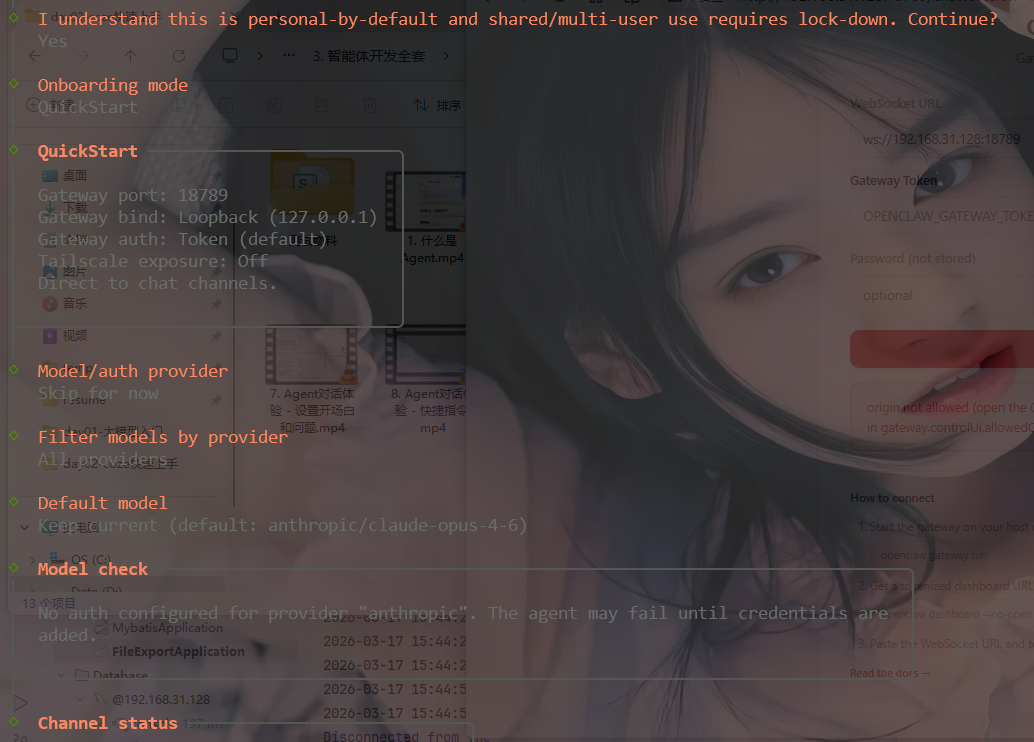
能跳过跳过, 不能跳过的就默认

1
2
3
4
5
6
7
8
9
Gateway running with host port mapping.
Access from tailnet devices via the host's tailnet IP.
Config: /root/.openclaw
Workspace: /root/.openclaw/workspace
Token: 57e80e658e4e4f52ac38326ef7681d72f9765baaa5fb7a2315dd246db65f46f8

Commands:
docker compose -f /opt/workspace/openclaw/docker-compose.yml logs -f openclaw-gateway
docker compose -f /opt/workspace/openclaw/docker-compose.yml exec openclaw-gateway node dist/index.js health --token "57e80e658e4e4f52ac38326ef7681d72f9765baaa5fb7a2315dd246db65f46f8"
1
2
3
4
5
6
7
# 局域网, 需要额外设置一下源地址
docker compose run --rm openclaw-cli config set gateway.controlUi.allowedOrigins '["http://192.168.31.128:18789", "http://localhost:18789", "http://127.0.0.1:18789"]'

# 局域网运行http访问
docker compose run --rm openclaw-cli config set gateway.controlUi.allowInsecureAuth true
# docker compose run --rm openclaw-cli config set gateway.allowInsecureAuth true
docker compose run --rm openclaw-cli config set gateway.controlUi.dangerouslyDisableDeviceAuth true

上千问领个api key
https://bailian.console.aliyun.com/cn-beijing/?spm=5176.29619931.J_SEsSjsNv72yRuRFS2VknO.2.74cd10d7vzdJCx&tab=demohouse#/experience/llm

修改如下两段配置:

vim ~/.openclaw/openclaw.json

1
2
3
4
5
6
7
8
9
10
11
12
13
14
15
16
17
18
19
20
21
22
23
24
25
26
27
28
29
30
31
32
33
34
35
36
"agents": {
"defaults": {
"model": "bailian/qwen-max",
"workspace": "/home/node/.openclaw/workspace",
"compaction": {
"mode": "safeguard"
},
"sandbox": {
"mode": "off"
}
}
},
"models": {
"providers": {
"bailian": {
"baseUrl": "https://dashscope.aliyuncs.com/compatible-mode/v1",
"apiKey": "sk-Key在这里填完整",
"api": "openai-completions",
"models": [
{
"id": "qwen-max",
"name": "Qwen-Max"
},
{
"id": "qwen-plus",
"name": "Qwen-Plus"
},
{
"id": "qwen-turbo",
"name": "Qwen-Turbo"
}
]
}
}
}
}

完整配置如下

1
2
3
4
5
6
7
8
9
10
11
12
13
14
15
16
17
18
19
20
21
22
23
24
25
26
27
28
29
30
31
32
33
34
35
36
37
38
39
40
41
42
43
44
45
46
47
48
49
50
51
52
53
54
55
56
57
58
59
60
61
62
63
64
65
66
67
68
69
70
71
72
73
74
75
76
77
78
79
80
81
82
83
84
85
86
87
88
89
90
91
92
{
"meta": {
"lastTouchedVersion": "2026.3.13",
"lastTouchedAt": "2026-03-19T15:19:18.416Z"
},
"wizard": {
"lastRunAt": "2026-03-19T14:49:12.291Z",
"lastRunVersion": "2026.3.13",
"lastRunCommand": "onboard",
"lastRunMode": "local"
},
"agents": {
"defaults": {
"model": "bailian/qwen-max",
"workspace": "/home/node/.openclaw/workspace",
"compaction": {
"mode": "safeguard"
},
"sandbox": {
"mode": "off"
}
}
},
"tools": {
"profile": "coding"
},
"commands": {
"native": "auto",
"nativeSkills": "auto",
"restart": true,
"ownerDisplay": "raw"
},
"session": {
"dmScope": "per-channel-peer"
},
"gateway": {
"port": 18789,
"mode": "local",
"bind": "lan",
"controlUi": {
"allowedOrigins": [
"http://192.168.31.128:18789",
"http://localhost:18789",
"http://127.0.0.1:18789"
],
"allowInsecureAuth": true,
"dangerouslyDisableDeviceAuth": true
},
"auth": {
"mode": "token",
"token": "57e80e658e4e4f52ac38326ef7681d72f9765baaa5fb7a2315dd246db65f46f8"
},
"tailscale": {
"mode": "off",
"resetOnExit": false
},
"nodes": {
"denyCommands": [
"camera.snap",
"camera.clip",
"screen.record",
"contacts.add",
"calendar.add",
"reminders.add",
"sms.send"
]
}
},
"models": {
"providers": {
"bailian": {
"baseUrl": "https://dashscope.aliyuncs.com/compatible-mode/v1",
"apiKey": "sk-Key在这里填完整",
"api": "openai-completions",
"models": [
{
"id": "qwen-max",
"name": "Qwen-Max"
},
{
"id": "qwen-plus",
"name": "Qwen-Plus"
},
{
"id": "qwen-turbo",
"name": "Qwen-Turbo"
}
]
}
}
}
}

重启gateway

1
docker restart openclaw-openclaw-gateway-1

常用命令

1
2
3
4
5
6
7
8
9
10
11
12
13
14
docker exec -it openclaw-openclaw-gateway-1 bash

# 查看状态
openclaw status

# 查看网关状态
openclaw gateway status

# 访问control ui
openclaw dashboard

# tui, 终端聊天界面, 需要 gateway 正在运行
openclaw tui

输入 / 可以看到更多的命令

1
2
3
4
5
help                            Show slash command help
status Show gateway status summary
agent Switch agent (or open picker)
agents Open agent picker
session Switch session (or open picker)

openclaw配置目录

1
2
3
4
5
6
7
8
9
10
11
12
13
14
15
16
~/.openclaw/
├── openclaw.json # 主配置文件(JSON/JSON5)
├── workspace/ # 你的 AI “灵魂”文件夹(推荐 git 版本控制)
│ ├── SOUL.md # 人格设定(语气、风格)
│ ├── USER.md # 你的个人信息(让 AI 更懂你)
│ ├── MEMORY.md # 长期记忆(手动可编辑)
│ ├── IDENTITY.md # Agent 名称、形象
│ ├── AGENTS.md # 多 Agent 路由规则
│ ├── BOOT.md # 启动提示词
│ ├── HEARTBEAT.md # 每日检查清单
│ └── skills/ # 已安装技能(每个技能一个子文件夹)
├── agents/<cid>/ # 每个 Agent 的独立状态
├── memory/<cid>.sqlite # 向量记忆库
├── credentials/ # API Key、OAuth(旧版)
├── skills/ # 全局技能包
└── secrets.json # 加密凭证(可选)

查看/修改配置命令:

1
2
3
4
5
openclaw configure      # 交互式配置向导
openclaw config file # 显示完整路径
openclaw config get agent.model
openclaw config set agent.model "anthropic/claude-3-5-sonnet"
openclaw config validate # 校验合法性

对接飞书

参考文档: https://www.runoob.com/ai-agent/openclaw-feishu.html

1
2
3
4
5
# 查看当前安装的插件
openclaw plugins list

# 开启飞书插件
openclaw plugins enable feishu

登录飞书
https://open.feishu.cn/app

创建应用, 拷贝App ID App Secret

1
openclaw channels add

1
2
3
4
5
6
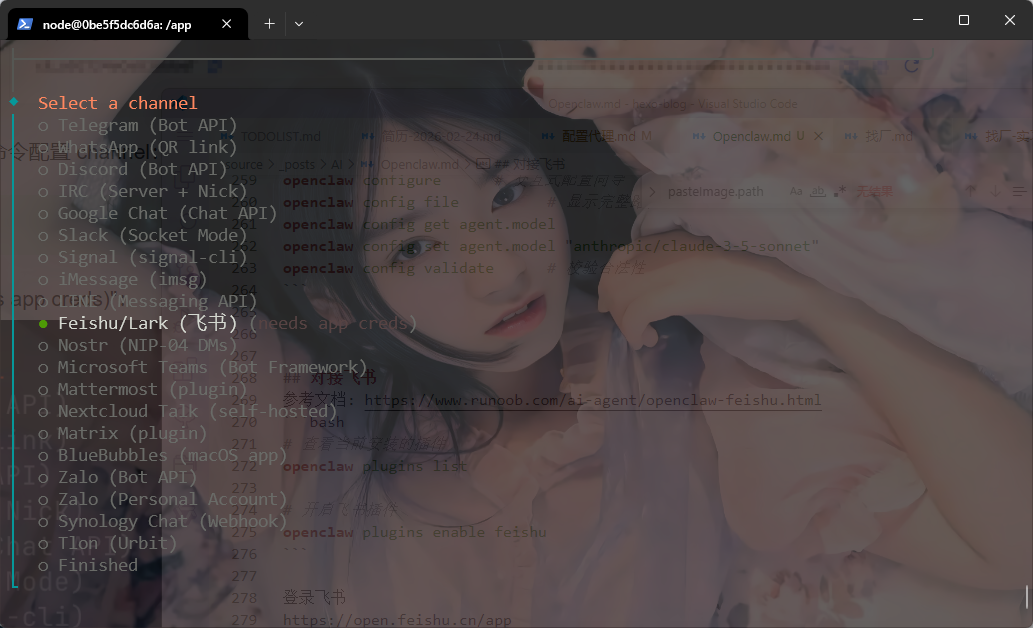
Feishu/Lark (飞书)
Enter App Secret
WebSocket (default)
Feishu (feishu.cn) - China
Open - respond in all groups (requires mention)
Finished

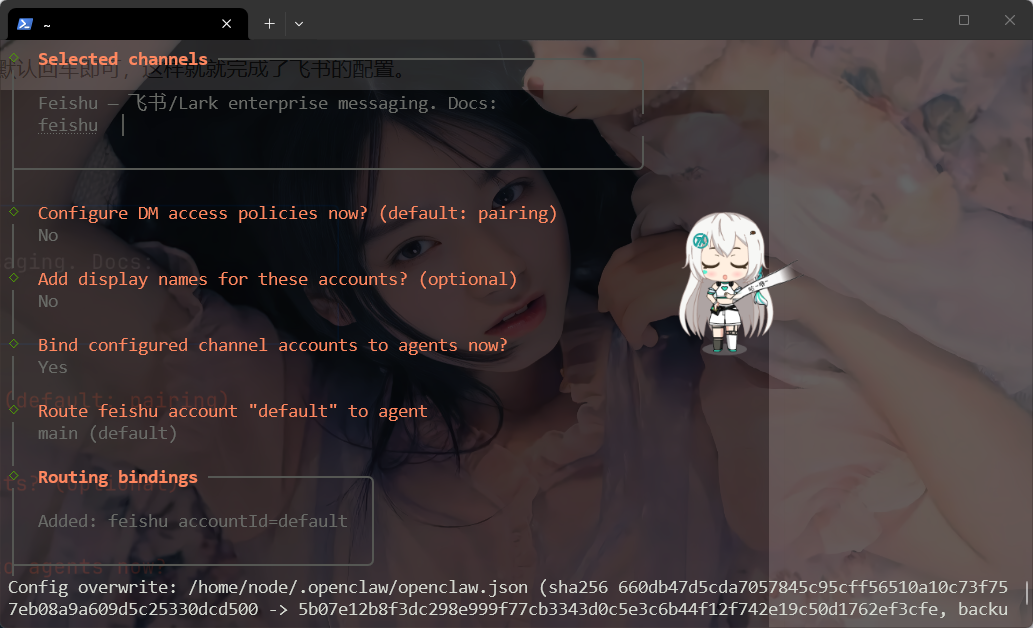
剩下的全部默认敲回车

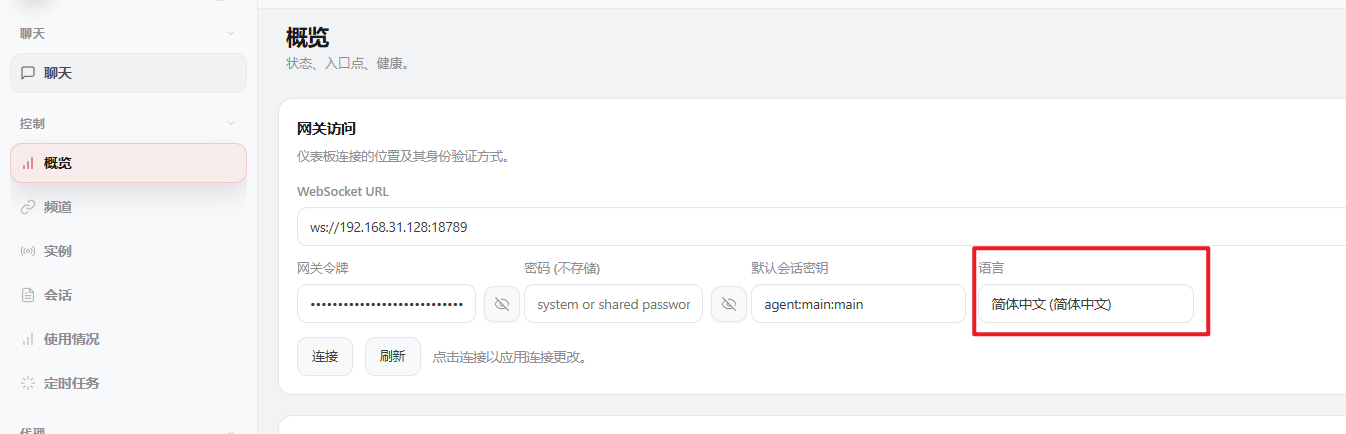
语言设置中文

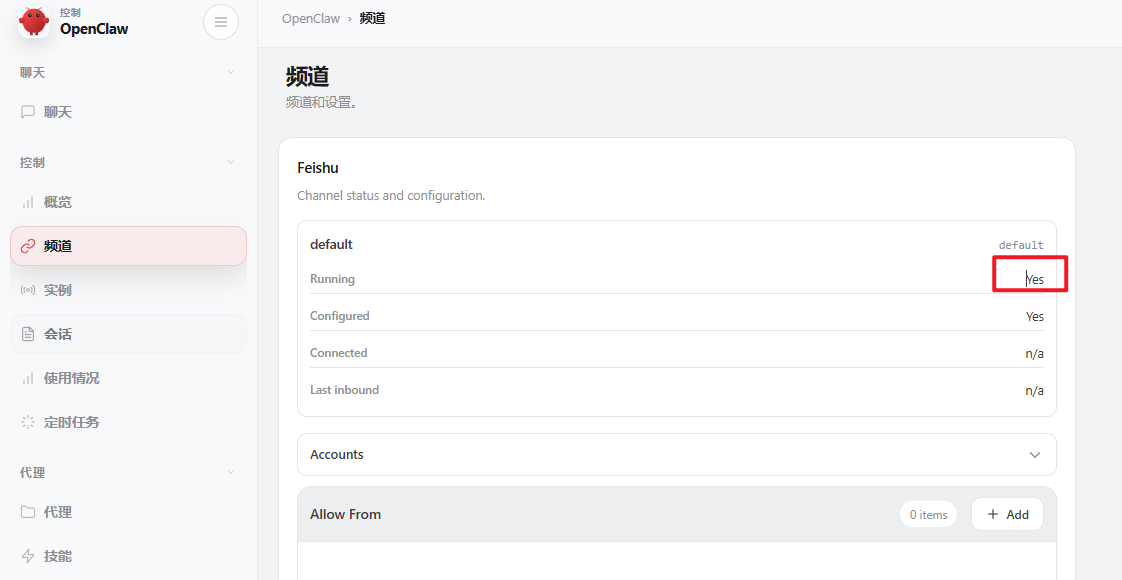
查看飞书是否启动成功

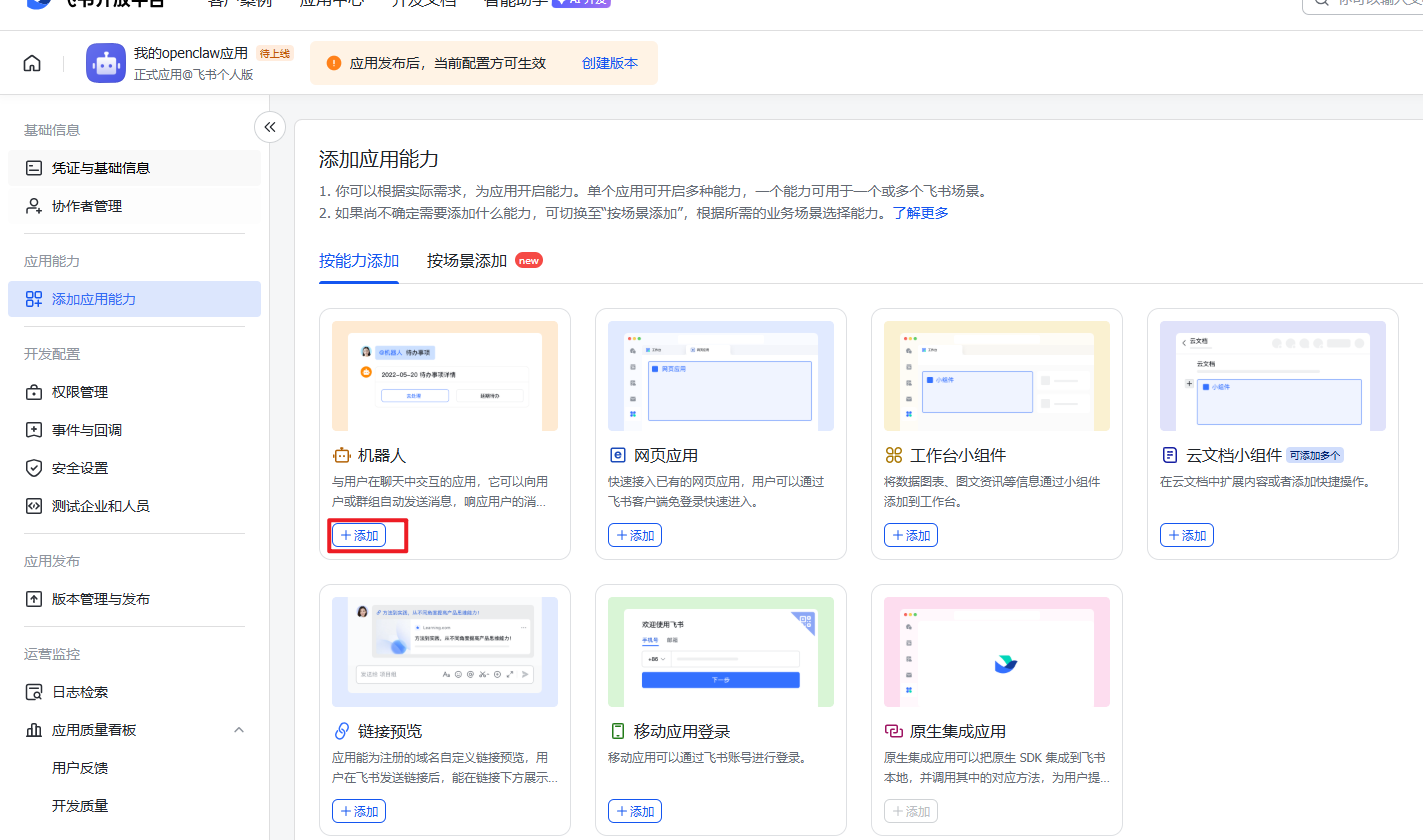
回到飞书添加机器人

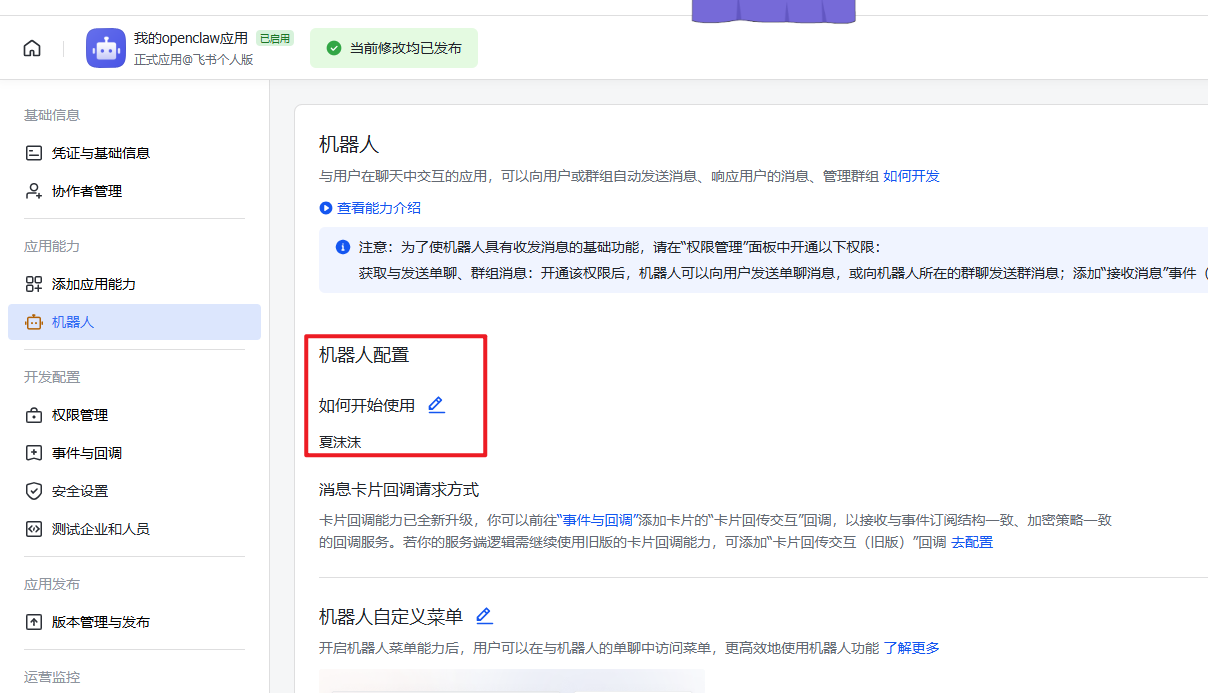
并且给机器人创建一个名称

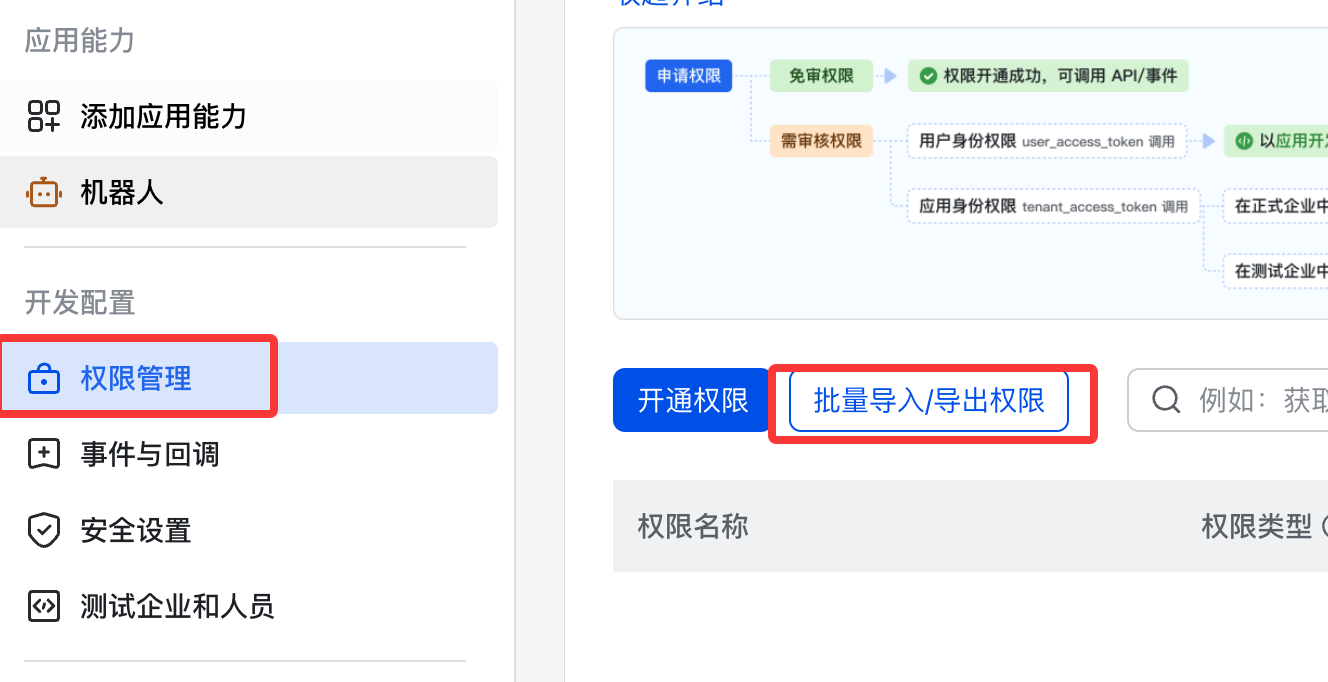
开通权限

粘贴:

1
2
3
4
5
6
7
8
9
10
11
12
13
14
15
16
17
18
19
20
21
22
23
24
25
{
"scopes": {
"tenant": [
"aily:file:read",
"aily:file:write",
"application:application.app_message_stats.overview:readonly",
"application:application:self_manage",
"application:bot.menu:write",
"cardkit:card:read",
"cardkit:card:write",
"contact:user.employee_id:readonly",
"corehr:file:download",
"event:ip_list",
"im:chat.access_event.bot_p2p_chat:read",
"im:chat.members:bot_access",
"im:message",
"im:message.group_at_msg:readonly",
"im:message.p2p_msg:readonly",
"im:message:readonly",
"im:message:send_as_bot",
"im:resource"
],
"user": ["aily:file:read", "aily:file:write", "im:chat.access_event.bot_p2p_chat:read"]
}
}

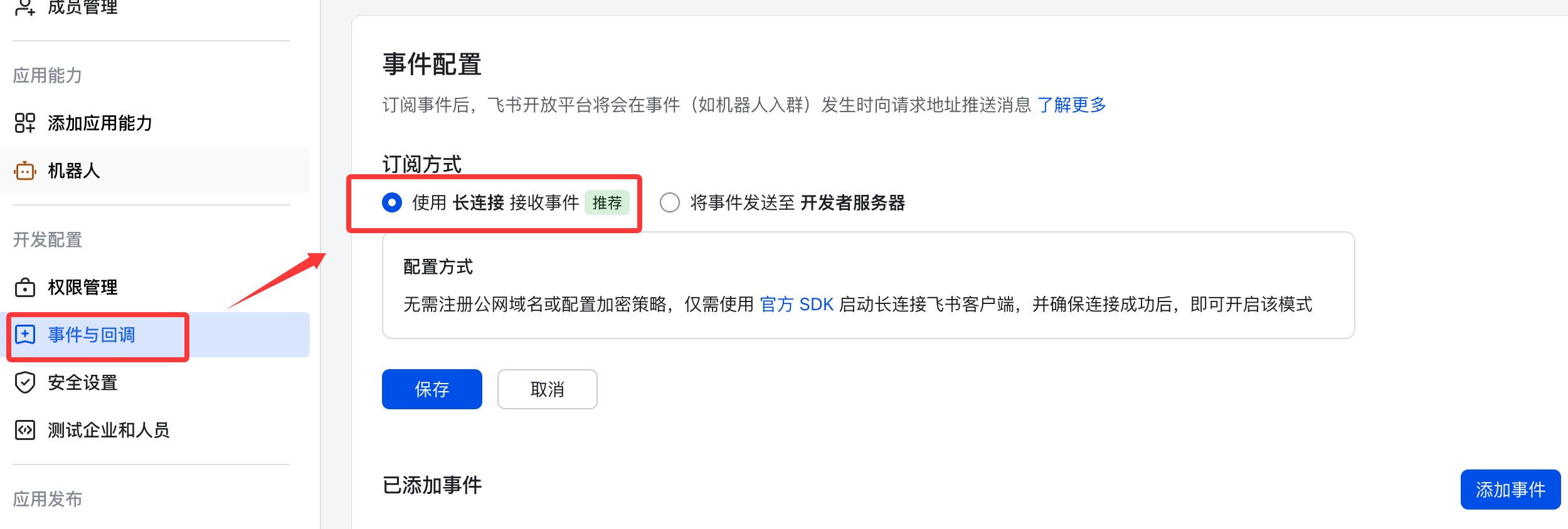
配置事件订阅

订阅方式使用长连接接收事件(WebSocket),然后保存。

添加以下事件:

im.message.receive_v1 - 接收消息
im.message.message_read_v1 - 消息已读回执
im.chat.member.bot.added_v1 - 机器人进群
im.chat.member.bot.deleted_v1 - 机器人被移出群

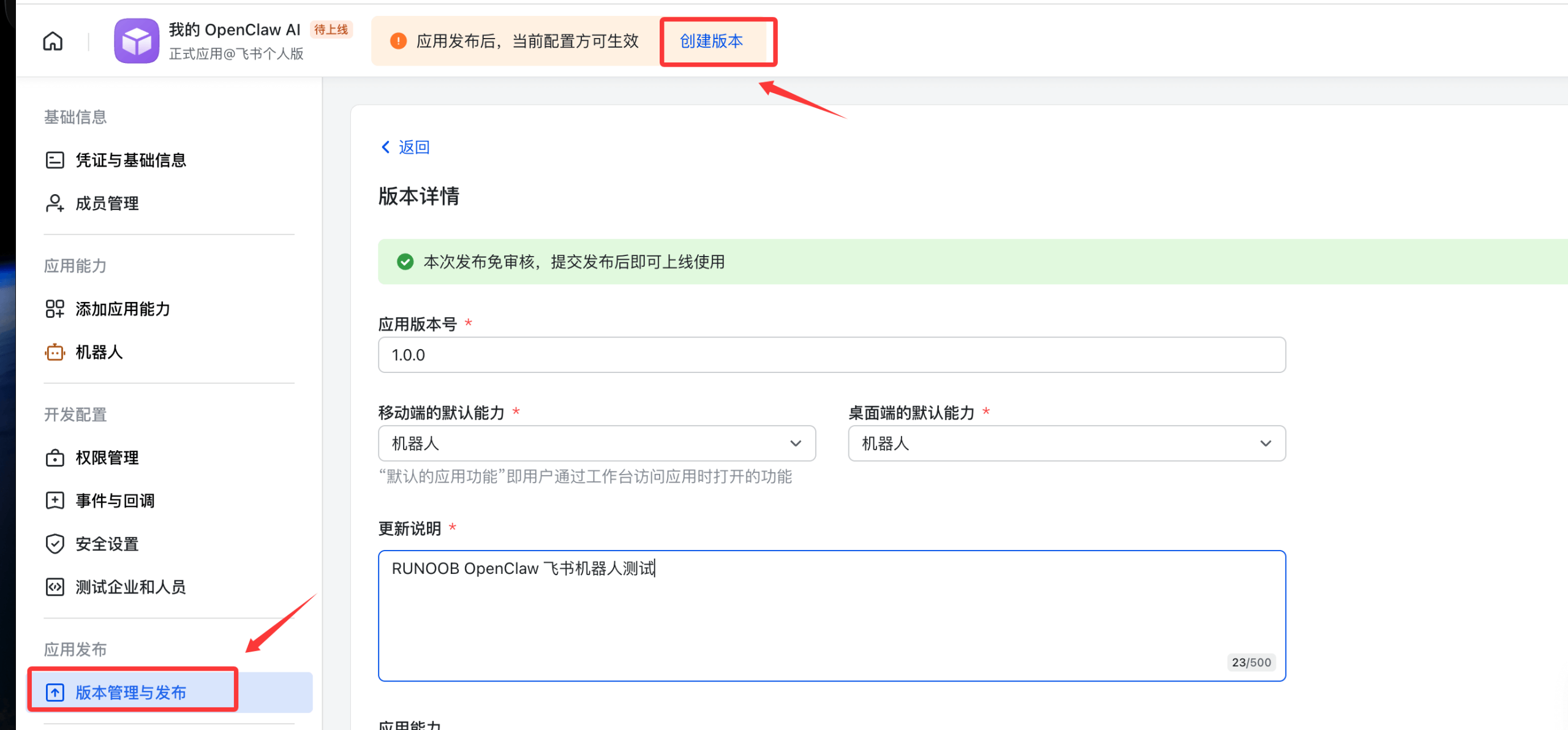
发布应用

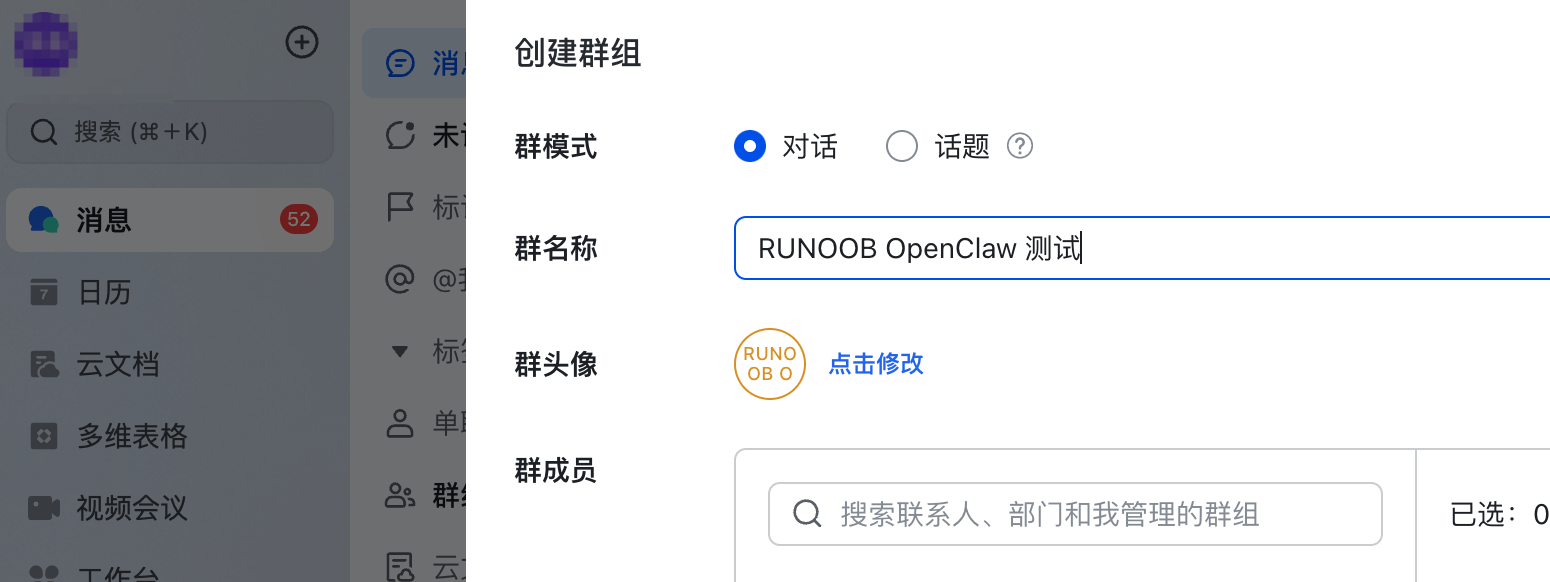
使用飞书创建一个测试群:

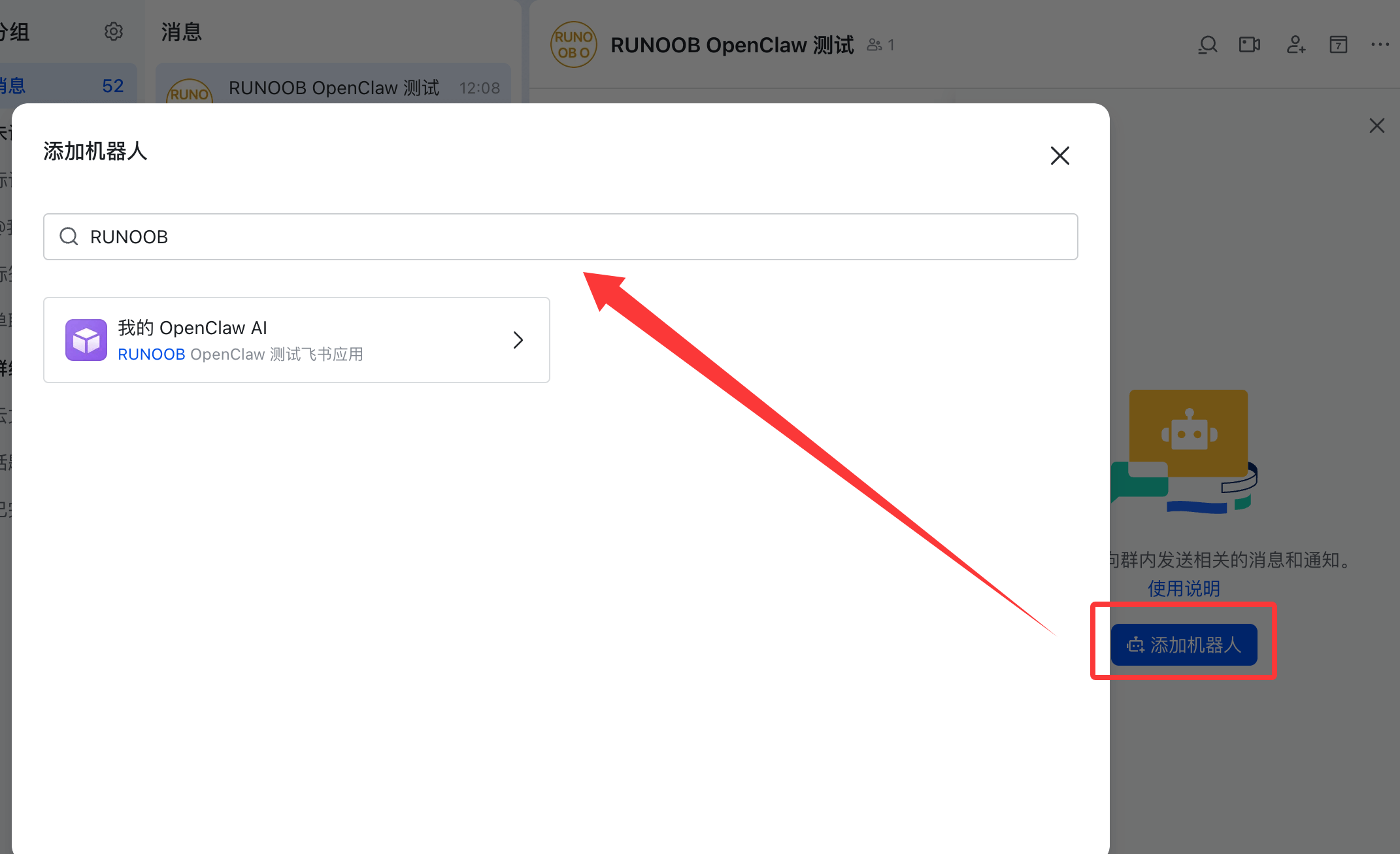
添加机器人

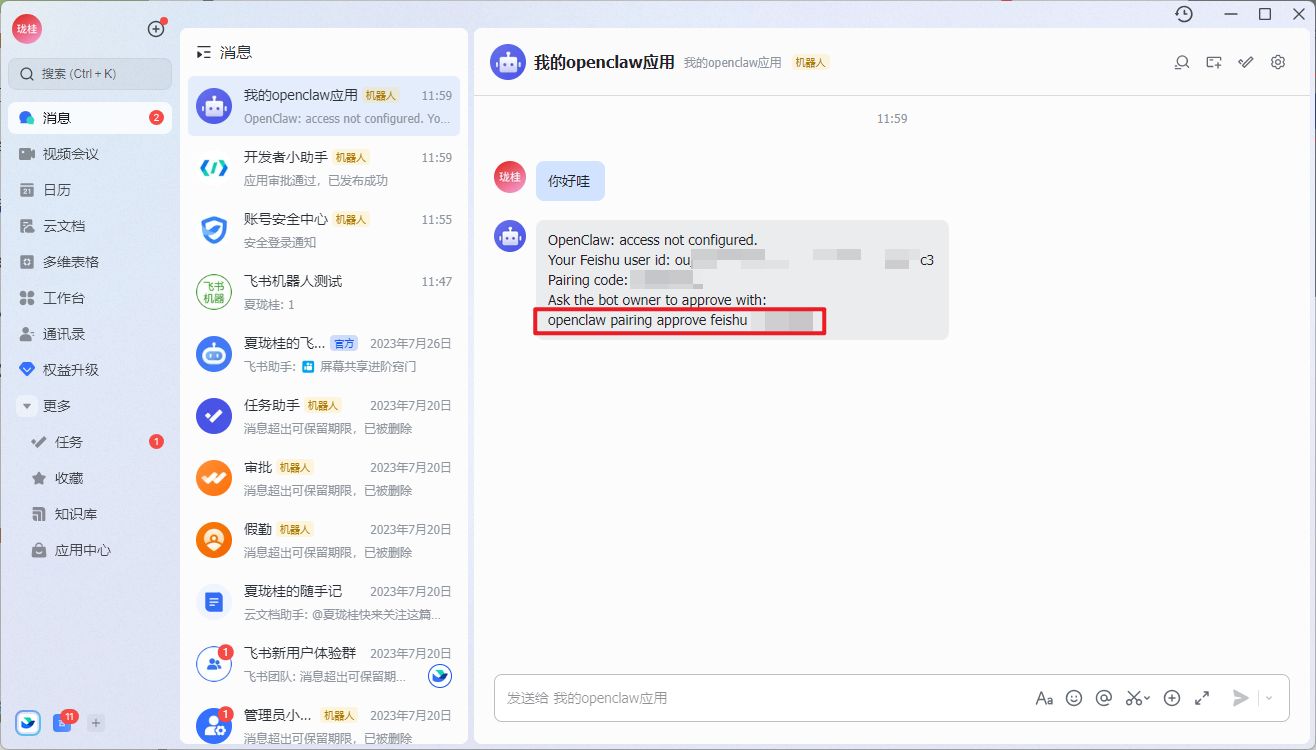
将这行命令在openclaw客户端进行输入, 用来做匹配

配置skill

1
2
3
4
5
6
7
8
9
# 安装 ClawHub CLI
npm install -g clawhub@latest
clawhub --version

# 搜索 Skill(支持自然语言)
clawhub search "send emails automatically"

# 安装 Skill
clawhub install <slug>

Openclaw
https://xiamu.icu/AI/Openclaw/
作者
肉豆蔻吖
发布于
2026年3月19日
许可协议